One VPS, One Dashboard: Consolidating a Friend's Almost 50 WordPress Sites
TL;DR
An acquaintance of mine builds and maintains WordPress sites for clients. Over the years that grew into something like almost 50 sites, spread across a pile of different hosting providers, each with its own login, its own email, its own database, its own quirks. He'd been updating plugins by hand, chasing down "why is this site slow" tickets, and getting caught off guard by compromised plugins and themes. He was stressed out and, understandably, kind of done with it.
We ran into each other by chance at a coffee shop after a long time. We swapped updates on life, talked about a bunch of small, forgettable stuff, and then somewhere in there the conversation turned serious around work. He told me the whole story, and we started talking through what might actually make this easier for him. We landed on consolidating most of it onto a single VPS behind one dashboard, with a small Python worker that watches for compromised plugins/themes and pings a Telegram channel when something looks serious.
It's not a perfect setup, and we're both aware of that. Putting almost 50 sites on one VPS is a single point of failure (SPOF), with no standby backup server ready to take over. But it's something he can actually run day to day without touching a terminal, and it noticeably calmed things down for him. That felt like a reasonable place to land for now, and probably not the last word on it.
The Problem Wasn't Really WordPress
Nothing about this story is "WordPress is bad." WordPress was never really the issue. It felt more like operational sprawl.
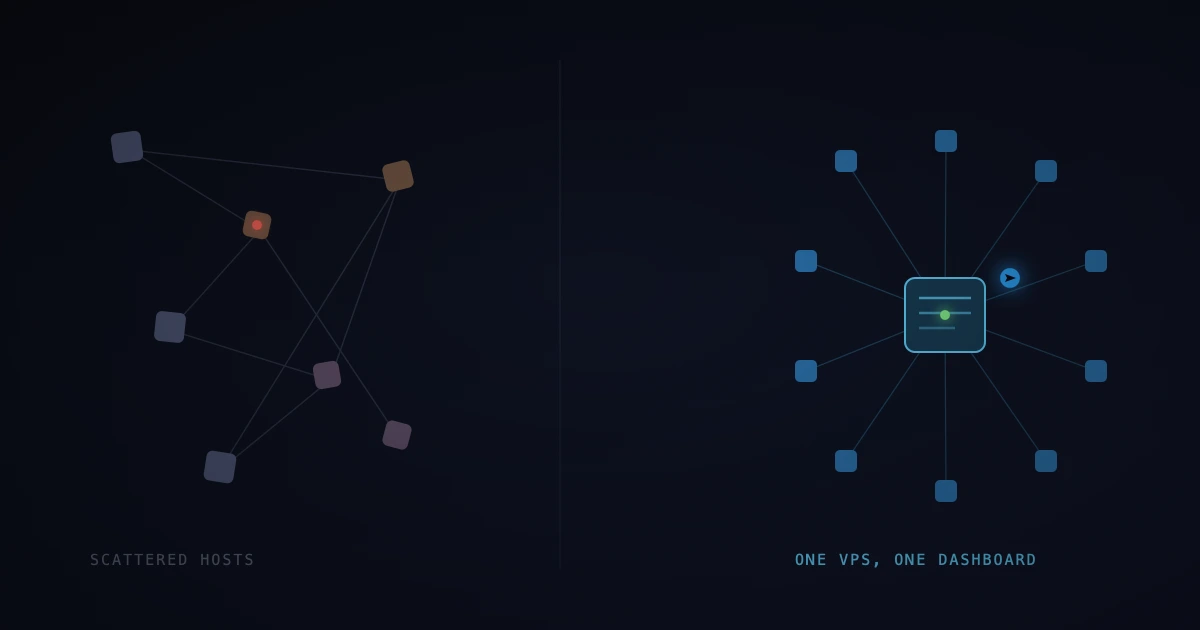
Almost 50 sites across multiple hosting providers means almost as many different places to log in, just as many different sets of credentials, database access scattered across different panels, email scattered across different inboxes, and no single place to answer a simple question like "which of my sites are running an outdated plugin right now." Every task that should take two minutes turns into ten, because step one is always "wait, which host is this one on again?"
That kind of sprawl doesn't really show up on a diagram. It shows up as burnout. He wasn't struggling with WordPress itself so much as with the fact that there was no "one place" for any of it.
Talking Through the Options
Before touching anything, we talked through the usual options you'd weigh for something like this, and thought out loud about the tradeoffs of each:
A battle-tested community panel. Something like CyberPanel: open source, actively maintained, has a real community behind it, comes with WordPress-focused tooling, one-click SSL, and a GUI. The tradeoff is you inherit its opinions about how things should be structured, and you're trusting a third-party project's release cadence and security posture.
A fully custom-built dashboard. More control, built exactly around his workflow. The tradeoff is that "more control" also tends to mean "you own every bug, every edge case, and every hour of maintenance forever." For someone who wasn't going to be the one maintaining the code, that felt more like a liability than a feature.
Some kind of hybrid. Use an existing panel as the foundation, then add tooling on top for the parts that are specific to his situation, like the plugin/theme integrity checks.
We leaned toward the community panel as the base. He needed something he could actually operate day to day without me on standby, and a panel with a GUI, documentation, and a community behind it seemed like a better bet than a bespoke tool that only I'd really understand. Where he needed something the panel didn't cover, we added it as a separate piece that sits next to the panel instead of forking or hacking the panel itself.
That last part felt important. Modifying the panel's internals directly seemed risky. Keeping additions removable and upgradable independently meant a panel update was less likely to quietly break something we'd built on top.
Setting Up and Securing the VPS
The actual infra work was fairly standard, but worth listing, since none of it felt optional once we were consolidating this many client sites onto one box:
- A single VPS sized for the combined load of ~50 sites, not the load of any one of them
- Firewall rules locked down to only what the panel and the sites actually need
- SSH hardened, key-based auth, no password login
- Automatic security updates for the OS
- TLS on everything, no exceptions
- Isolated site users/permissions so one compromised site can't casually reach into another
None of this is exotic. It's the boring, standard checklist. But boring and standard felt like exactly what we wanted here, since the point was to reduce the number of things that could go wrong, not add new categories of things that could go wrong.
Migrating Without Breaking Client Sites
The migration itself was the tedious part: moving ~50 sites, their databases, and their domains off of a scattered mix of hosts and into one place, one at a time, without taking any client's site down along the way.
For each site that meant roughly the same loop: snapshot the database, sync the files, bring it up on the new VPS under a staging path, check that it actually works, then cut DNS over once it looked good. Multiply that by almost 50, and it's less "hard" than it is "long." The bigger risk wasn't technical difficulty so much as losing track of which site had actually been fully cut over versus which one was still half-migrated. Having one dashboard to check status against, even mid-migration, made that noticeably less error-prone than trying to track it in a spreadsheet.
Performance tuning came after migration, once everything was actually sitting on hardware we had a full view of. Shared PHP-FPM pools tuned sensibly, object caching turned on where it made sense, static assets served without every request having to hit PHP. Small things individually, but they add up when you can finally tune them across all of them at once instead of working around 50-ish different hosting providers' defaults.
The Piece That Made the Biggest Difference
The thing that used to blindside him most was compromised plugins and themes. A client installs some random plugin they found, or an old theme goes unmaintained and picks up a known vulnerability, and suddenly there's questionable code sitting on a production site nobody's actively watching.
So one of the things we added was a small Python worker whose only job is to keep an eye on that. It doesn't try to reinvent security scanning from scratch, it leans on tools that already do this reasonably well, like WPScan and Wordfence's data, runs them against every site on a schedule, and buckets whatever comes back by severity.
The part that actually changed his day-to-day is what happens after a scan finishes: anything P0/P1 (an actively exploited vulnerability, a known-bad plugin version, signs of an actual compromise) gets pushed straight to a Telegram message. Not a dashboard he has to remember to check, not an email that gets buried, just a phone notification that says, in plain terms, which site, which plugin or theme, and roughly how bad. Lower-severity findings still get logged for later, but they don't interrupt him. Only P0/P1 does.
It's a small piece, but it's the one that seemed to take the most weight off him, since it meant he didn't have to hold "did I check every site this week" in his head anymore.
About the Single Point of Failure
We're not going to pretend this setup is architecturally ideal. Putting almost 50 sites on one VPS with no standby backup server is a real SPOF. If that box has a serious hardware failure, everything on it goes down at once, and there's no automatic failover waiting to take over. That's a real gap, and it's one we talked about openly rather than glossing over.
We made that tradeoff on purpose, not out of not thinking about it. A multi-server, high-availability setup would have meant more infrastructure for him to eventually understand or pay to keep running, more moving parts that could fail in new ways, and meaningfully more cost, for a problem he wasn't actually having at this point. His problem was operational chaos across many hosts, not uptime during a hardware failure. Solving for the wrong problem thoroughly isn't really solving it.
What we do have instead is regular automated backups off the box, so a hardware failure would hopefully be more of a "restore and lose some time" situation than a "the data is gone" one. That felt like a reasonable tradeoff for where he's at right now. If his business grows to a point where downtime on that box gets expensive enough to justify a second server, that's a well-trodden problem we can revisit later. It didn't feel like a reason to over-build the solution today, but it's genuinely something we expect to keep an eye on rather than consider settled.
Why "Easy for Him" Mattered More Than the Technical Details
Maybe the hardest constraint on this whole project wasn't technical at all. He isn't especially comfortable with a terminal or Linux syntax, and he was going to be the one operating this thing day to day, not me.
That constraint quietly ruled out a bunch of options that would have otherwise been reasonable on paper. A custom CLI tool, no matter how well designed, didn't really make sense here. Anything that required SSH-ing in to check status or restart a service didn't either. The community panel's GUI, plus a Telegram bot that just talks to him in plain language, meant the parts of the system he actually has to touch don't require him to know what a shell is.
That's a big part of why the community panel felt like the better call for the base layer, not because a custom dashboard couldn't have been built well, but because a GUI with a community and documentation behind it is something he can get help with without me being the only person who understands it.
Where That Left Things
Almost 50 sites, one VPS, one dashboard, one place to check plugin/theme health, and a Telegram message that only shows up when something actually needs his attention. He's not checking a dozen hosting panels anymore, and he's not finding out about a compromised plugin from a client instead of from his own tooling.
It's not the platonic ideal of infrastructure. It has a SPOF we accepted with eyes open, it leans on an existing community panel instead of something custom-built, and it's tuned around one specific person's constraints rather than some general best practice. But maybe that's sort of the point: the "right" architecture, at least for now, might just be whatever actually solves the problem the person in front of you has, in a way they can live with, and stays open to being revisited later.
