Giving My Old Laptop a Second Life With Omarchy
TL;DR
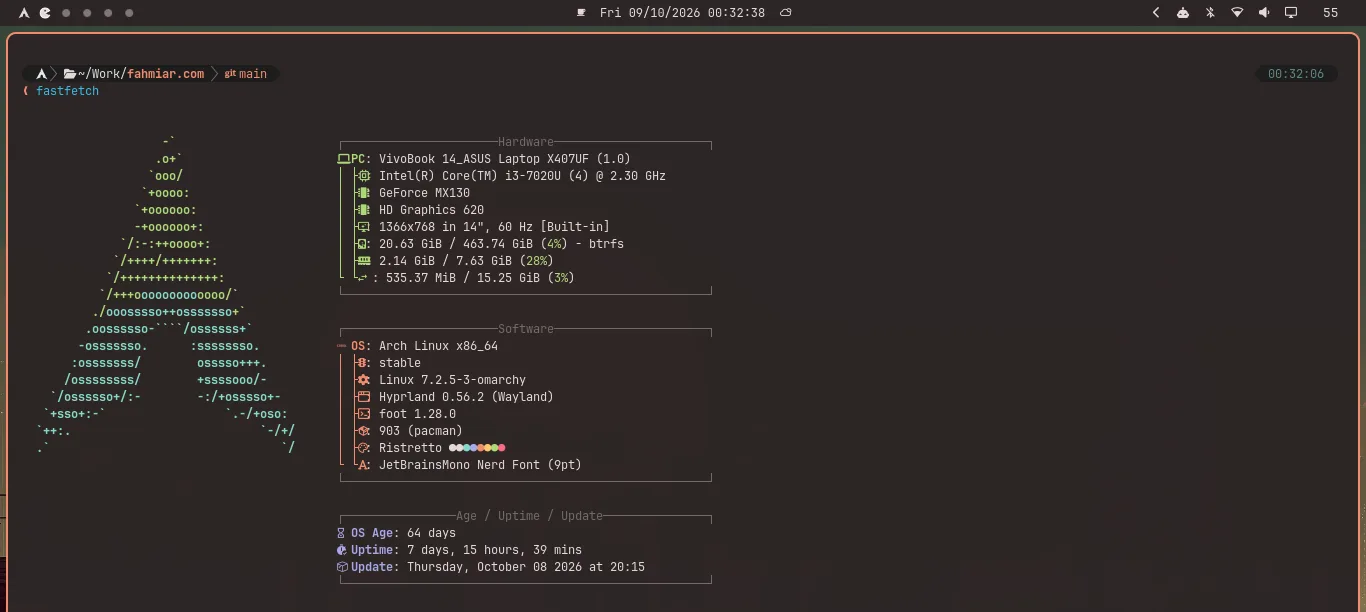
I have a laptop from around early 2018 that I switched over to Linux completely after graduating from my D3 program in 2020. Then I got a new Mac laptop in 2021, and the old machine stopped being my daily driver. Recently, I wanted to bring it back as a second one. I cleaned out the dust, cleaned the fan, replaced the dried-out thermal paste, and reinstalled my old Arch setup with Omarchy 4. A month in, I'm writing this post on that same laptop. It feels like a new machine, and I'm genuinely happy to be using it again.
Why I Wanted to Bring It Back
Before software engineering became my day job, I studied TKJ (Computer and Network Engineering) in vocational school. I still have that itch to open up a computer, see what's going on inside, and make it work the way I want. This laptop is tied to that side of me.
After graduating from my D3 program in 2020, I went all in on Linux on this machine. Arch was my home for a while (yes, I use Arch, btw). When I got a new Mac laptop in 2021, I had a new daily driver, but I never quite lost the feeling that the old laptop still had more to give.
I didn't need it to replace the Mac. I wanted a second daily driver: a machine I could pick up, work on, and enjoy, rather than leave sitting around as a memory of my Linux days.
Omarchy Felt Weirdly Familiar
Then I came across Omarchy. What caught my attention wasn't just that it was built around Arch. The setup looked surprisingly close to how I already like to work: terminal-first, keyboard-heavy, and using the kind of tools I reach for anyway. It felt less like learning someone else's idea of a desktop and more like finding a ready-made starting point for my own workflow.
So I replaced the old Arch install with Omarchy 4. It wasn't a decision to stop tinkering or to abandon the habits I'd built on Linux. It was a way to get back to them on a machine I'd missed using.
Making Omarchy Mine With chezmoi
Omarchy out of the box wasn't a 100% match for me. It comes with some apps that its creator, DHH, uses but I don't. That's fine: his defaults got me close, and I could take it from there. Removing the preinstalled apps I didn't need was a click away; then I applied my own configuration with chezmoi. Once that was done, the machine felt like my setup rather than somebody else's.
The best part is how familiar it feels next to my Mac. I use the same terminal-first workflow on both, so switching from macOS to Arch doesn't mean rebuilding my habits every time. Different OS, same way of working.
If you want to copy or adapt my setup, I've put it here: my Omarchy configuration on GitHub. You can see what I changed rather than trying to guess from a screenshot.
The Hardware Needed Some Love Too
A fresh OS wasn't going to fix everything. Once I opened up the laptop, it was clear this wasn't just a software project. The old thermal paste had dried out, and the dust around the fan and heatsink was pretty bad. Those photos tell the story better than I can:
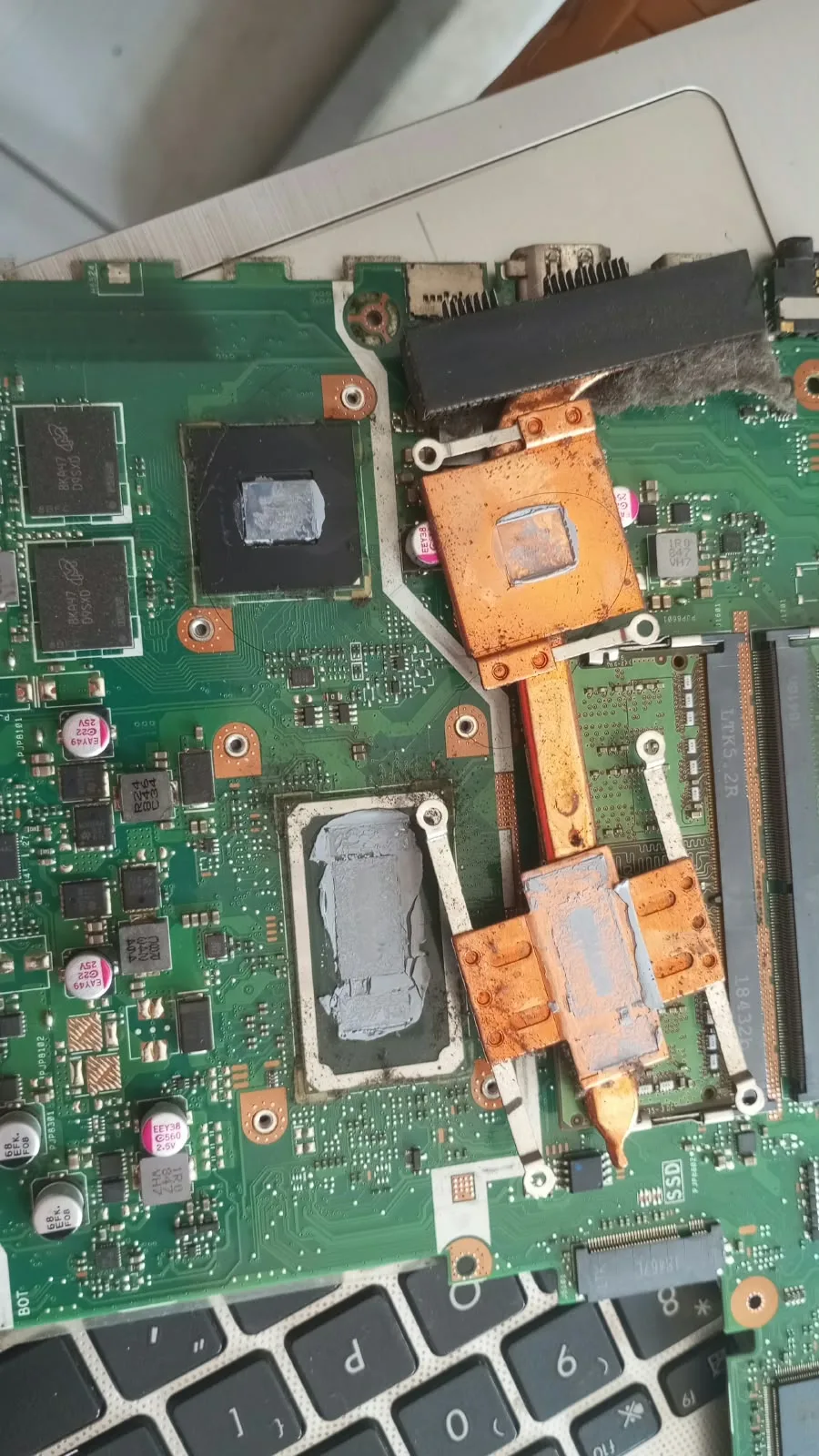 The old paste had seen better days.
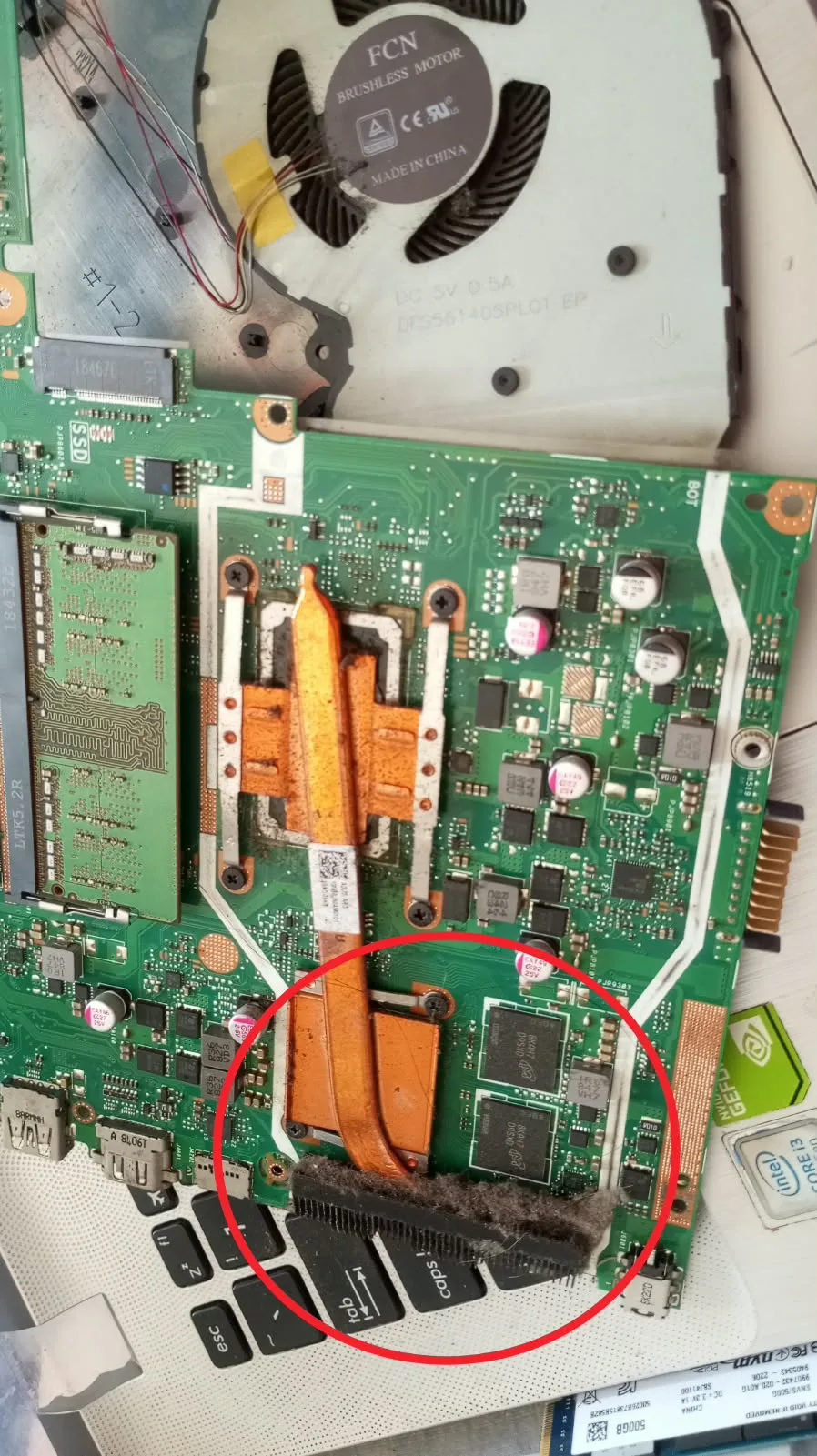 That buildup around the heatsink was hard to ignore.
I cleaned out the dust and the fan and replaced the thermal paste before settling into the new install. Nothing glamorous, just the kind of maintenance an older laptop needs if I actually want to use it every day again.
A Month Later
It's been about a month with Omarchy on this laptop now, and I'm writing this article on it. That's the part that makes me smile: this isn't a nostalgic setup I boot once to take a screenshot. It's a computer I actually want to sit down and use.
The hardware refresh made the laptop feel cared for again, and the new OS brought back the feeling I missed from my Arch days. I still have my Mac, but now this old machine has a place in my daily life too. It feels like a new laptop and an old friend at the same time.
Here's what my Omarchy setup looks like today:
